


Choosing the right remote work platform in 2026: how Remotly stands out among its competitors
NewsWindows January 19, 2026 Michael Franco

In 2026, remote working has become an essential part of the global labor structure. What just a few years ago seemed like a temporary solution to exceptional circumstances -such as the pandemic in 2020- is now common practice in companies of all sizes and industries. This transformation has profoundly changed the way we understand productivity, collaboration, and, ultimately, the very concept of the office.
Geographic flexibility is undoubtedly one of the biggest changes. Workers no longer depend on a specific physical space: they can access their tools and resources from anywhere, whether it’s their home, a coworking space, or even a different country. This has opened the door to global talent and distributed teams, allowing companies from different parts of the world to work in coordination as if they were sharing the same room.
Organizations have learned that productivity is not measured in hours spent at the office, but in actual results. Communication models, collaboration habits, and company-employee relationships have changed. In this context, having secure, powerful, and flexible remote access tools is vital to sustaining the new normal in the workplace.
It is precisely in this landscape that Remotly emerges-an app that seeks to redefine remote access by merging security, performance, and adaptability in a way few other platforms can match.
What is Remotly?
According to their website, Remotly application is presented as “next-generation remote connectivity software” and offers a combination of interesting features for both professional remote work and other uses (e.g., game streaming or access to powerful machines from lightweight devices). Let’s take a closer look at what it offers and what its key advantages are.
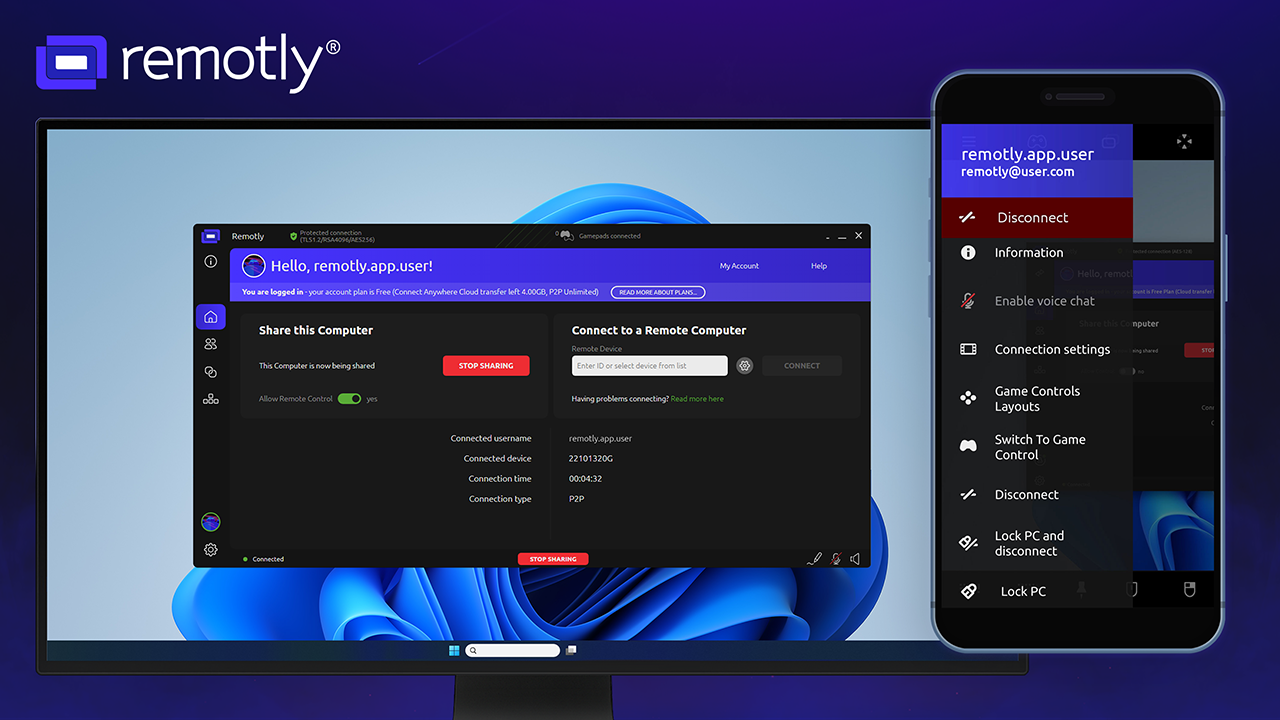
According to the company itself, Remotly allows you to share your screen, grant access to your PC, macOS and iOS, and even play games remotely from other devices.
Key policies that stand out:
-
Encryption of transmitted data using the AES-256 standard.
-
Connections made with a unique key for each session.
-
Option to deploy your own connection server (i.e., install a private server) for greater control and regulatory compliance (e.g., for European customers).
-
High image quality: remote access in UltraHD (i.e., up to 4K) for gaming or work.
-
File transfer, session recording, permission management, advanced mobile app.
Comparing Remotly with its main rivals: TeamViewer and Parsec
At this point, it’s time to find out what Remotly does better than its main competitors in the market. That’s why we’ve made two long lists comparing point by point how Remotly differs from TeamViewer and Parsec, the other two big remote work tools.
For this comparison, we have focused on four main points: security, flexibility, quality, and pricing. With that out of the way, let’s get to the facts:
Remotly vs. TeamViewer
1. Security
TeamViewer is one of the best-known remote access platforms on the market. According to various sources, it offers end-to-end encryption (RSA 4096, AES 256) and two-factor authentication, trusted device management, among other key features.
However, the areas for improvement are in its server model: because it relies on its servers and TeamViewer’s “relay” or “proxy” infrastructure, there is a level of external dependency.
Remotly, on the other hand, offers:
-
The ability to configure your own or private connection servers, which means that the company controls the infrastructure and does not depend on third parties. This option improves security and compliance with regulations such as GDPR.
-
Connections with super-complex keys and an automatic code generation detection system to prevent attacks or unauthorized connections.
-
Authorize all incoming connections and add devices to a trusted list, so that once a device is authorized, it does not need to be reauthorized each time.
-
Tools such as QuickSupport and QuickHost allow connections only within the organization, minimizing the risk of a stolen code being used illegally.
In summary: in terms of security and control, Remotly seems to offer a higher level than the standard proposed by TeamViewer, especially for companies that want maximum control and to minimize risks.
2. Flexibility
TeamViewer typically offers annual licenses with a limited number of concurrent connections. For example, you can sell multiple licenses, but each license allows only one connection at a time. In many cases, if the company has activity peaks or a variety of users, this can be inconvenient.
Remotly, in contrast, offers a major advantage in flexibility:
-
Unlimited number of simultaneous connections per user, allowing multiple team members to connect at once without the need to purchase multiple licenses.
-
Flexible monthly subscriptions and the ability to handle monthly spikes without having to sign up for a whole year in advance. In comparison, TeamViewer requires payment for the entire year.
-
Branding options: customization of the tool with your own logo and colors.
-
Free mobile app for home and business use at no additional cost for the app (whereas with TeamViewer, the business version of the app may incur a cost).
-
Agile switching between licenses or scaling as needed, without rigid contracts. All of this provides a level of adaptability that is very valuable in many modern work environments.
3. Quality of experience
In terms of fluidity, image quality, latency, file transfer, and so on, TeamViewer has historically been robust, but its streaming technology is based on screen captures, which can mean higher CPU/GPU usage, higher latency, and lower image quality in complex cases.
Meanwhile, Remotly offers:
-
Streaming up to 4K/UHD at 120 fps, 4:4:4 color format, HDR10-bit, enabling very high image quality.
-
Ultra-low latency, both in P2P connections and through relay servers.
-
Low GPU/CPU usage, lower power consumption (up to 50% less), and improved synchronization between audio and video.
-
Encoding in modern formats (AVC/HEVC/AV1) directly from the GPU, as opposed to TeamViewer’s screenshot system.
This makes Remotly a more suitable option for demanding scenarios: remote editing, graphic design, internal streaming, or remote access to powerful machines, where image quality and latency are very important.

4. Pricing
Although prices are subject to change, the reality is that:
-
TeamViewer has high prices, annual contracts, and its model may be less flexible for companies with variable needs.
-
Remotly offers a free version for home use (with quite a few features), a free trial for business, a pay-per-use model for support modules, and prices for other modules that are significantly lower than TeamViewer.
Therefore, for companies looking to optimize costs without compromising features, Remotly can be a clear advantage.
5. How does Remotly outperform TeamViewer?
In summary, compared to TeamViewer, Remotly excels in:
-
Greater infrastructure control (own servers),
-
Greater flexibility in licensing and costs,
-
Higher quality of experience in high-level remote connection,
-
Better adaptation to variable and modern needs.
TeamViewer remains a mature, widely used tool with good cross-platform compatibility, but its traditional business model and licensing/infrastructure limitations may work against it when compared to more modern options such as Remotly.

Remotly vs. Parsec
Now let’s compare Remotly with Parsec, another remote access tool, particularly well known in streaming, creative work, and high-performance remote collaboration environments.
1. Comparison with Remotly: critical differences
According to official information, these are the key points that differentiate the two tools:
-
Network/relay infrastructure vs. P2P only: Parsec offers peer-to-peer connections, which is excellent in many cases, but has disadvantages if there are firewalls, complex NAT routers, or strict corporate networks. Remotly, in turn, offers the option of a dedicated relay server or global relay network, ensuring stability even in challenging environments.
-
Ultra-strong connection ID: Remotly offers ultra-strong connection IDs compared to Parsec, which does not perform well on P2P connections with high latency and low reliability.
-
Streaming/quality/fps: Parsec supports 4K at 60 fps, while Remotly reaches 120 fps and HDR 10-bit and 4:4:4 color. Remotly’s extra capacity can make a difference in demanding environments.
-
Additional security/administration features: Remotly offers end-to-end encryption with RSA4096 and AES256. It also has better audio/video synchronization, lower latency, and better input support.
-
Multi-join usage: Remotly allows for multiple connections, enabling up to four people to connect to a central computer to work or play.
-
Business/corporate scenarios: Although Parsec has an “Enterprise” version, the costs can be high. In contrast, Remotly promises free private relay configuration for customers. This gives an advantage for companies seeking control and their own infrastructure.
2. How does Remotly outperform Parsec?
While Parsec is a very powerful tool geared toward design, editing, post-production, remote gaming, and similar environments, Remotly’s advantages over Parsec are:
-
Greater versatility in corporate environments with firewalls, NAT, and diverse infrastructure.
-
Better adaptability of proprietary infrastructure (private servers) without relying exclusively on P2P.
-
More explicit multi-user collaboration capability (multi-join).
-
Potentially higher performance streaming (fps, HDR, color) for ultra-demanding uses.
-
More flexible licensing model for diverse uses (support, peaks, etc.).
For a company seeking secure, high-quality, flexible, and controlled remote access, Remotly stands out as the most competitive option.
Conclusion: why choose Remotly in 2026?
Remote working in 2026 is no longer an alternative. And that is why new requirements for performing have emerged: quality, latency, security, control, flexibility, and scalability. In this context, Remotly rises as a tool that meets many of these demands thanks to its high performance, licensing flexibility, infrastructure control, and quality of experience.
Compared to competitors such as TeamViewer or Parsec, Remotly offers clear advantages: better security control, greater flexibility, and better performance for demanding environments.
If we had to summarize this comparison in one sentence, it would be: Remotly combines the power of high-quality remote streaming with the flexibility and control demanded by modern businesses, making it a highly recommended tool for those who want to take remote work beyond simple “desktop access” to working from anywhere.
Remotly: a different and powerful approach to remote access
Remotly’s winning features
We can highlight several differentiating factors that make Remotly an attractive tool for companies -and users- that need robust remote access.
Security and control
-
High-level encryption: AES-256, unique key per session. This ensures that data travels securely.
-
Private server option: allows the company to control the entire connection infrastructure, which means greater compliance with regulations such as GDPR in Europe, without relying on external servers.
-
Permission management: you can decide which devices are authorized, add them to the trusted list, and authorize or deny incoming connections.
-
Complex connection code: according to the documentation, the codes have a high level of complexity.
-
Session recording: useful for audits, training, or internal compliance.
All of it makes Remotly a very interesting option for environments where security and control are a priority.
Quality and user experience
-
High-quality streaming: up to 4K, HDR10-bit, 4:4:4 color format, and much more.
-
Ultra-low latency and optimized CPU/GPU usage, lower energy consumption.
-
File transfer, integrated voice chat, use of a tablet as a remote terminal… -all of which contributes to a more fluid and professional experience.
-
White labeling: the ability to customize the tool with your company logo and colors, adding professionalism in support environments.
-
Flexible subscriptions: pay-as-you-go for support module, no need to sign up for a full year if you only want to cover peaks. This makes it a useful and affordable option for companies with fluctuating needs.
Flexibility and scalability
-
Unlimited simultaneous connections for each user.
-
Agile switching between licenses, without rigid annual contracts.
-
Support for both work teams and home users, which broadens the spectrum of use.
-
Free advanced mobile app for both home and business use (whereas with other tools, the business app has an additional cost).
-
Option of private and/or cloud server, allowing the model to be adapted to the company’s infrastructure.
Remotly’s added value for 2026
In the current context, Remotly offers four major competitive advantages:
-
Suitability for remote and hybrid work: Its connection quality, versatility, and focus on demanding experiences make it ideal for scenarios where more than “just seeing the desktop” is needed. For example, remote graphic editing, real-time collaboration, technical support, and software development with remote hardware.
-
Focus on control and compliance: Many companies are still wary of outsourcing their connections and data to third parties. Remotly allows the company to have greater control, which is critical in regulated environments (finance, healthcare, industry, etc.).
-
Cost optimization and flexibility: In an economic environment where companies seek to maximize efficiency, having a tool that offers among others pay-per-use, scalability, and no long-term contracts is a clear advantage.
-
Remotly created very interesting visualizations that stand out from those of its competitors. Similar to what Discord did, both companies created outstanding layouts and websites around their products. Remotly, in particular, created avatars that function as use cases: a boss, a protector, an admin, a remote worker, and a gamer, for example.
With all this, Remotly appears to be a serious solution for companies that want to take remote work to the next level without compromising security or user experience. In the following sections, we will compare it with two of its best-known competitors.