



Google launches Gemini app for Mac
Google has released an official Gemini app for macOS. The app is native, and is written in Swift. It is compatible with all Apple Silicon computers that run on macOS Sequoia 15.0 or later. Once installed, users can access Gemini from the dock or by clicking the Gemini icon on the menu bar. Alternatively, you can launch Gemini quickly by using the keyboard shortcut Option + Space. This brings up the AI chatbot’s mini UI, allowing you to interact with it. Pressing Option + Shift + Space opens the full chat experience.’
Gemini for Mac supports image generation powered by Nano Banana, and can generate videos using Vevo, create music, etc. It also has some some advanced capabilities, you can share any window with Gemini to get information based on the context of the screen, i.e. documents, data, code., and ask questions about them. In order to access full pages in web browsers, Gemini requires users to enable an option under Mac’s Accessibility settings. Gemini isn’t the first native AI app for Mac, OpenAI’s ChatGPT and Anthropic’s Claude have been around for longer. OpenAI had recently released an update for ChatGPT on macOS to address some security issues.
Google launches a desktop app for Windows
Google also released a new desktop for PCs. The app has a strong focus on Gemini, which is not surprising given the current AI trend. Use the Alt + Space keyboard shortcut to quickly invoke Google for Windows, and you can ask it anything you want from a simple web search, or take a screenshot using the image search option.
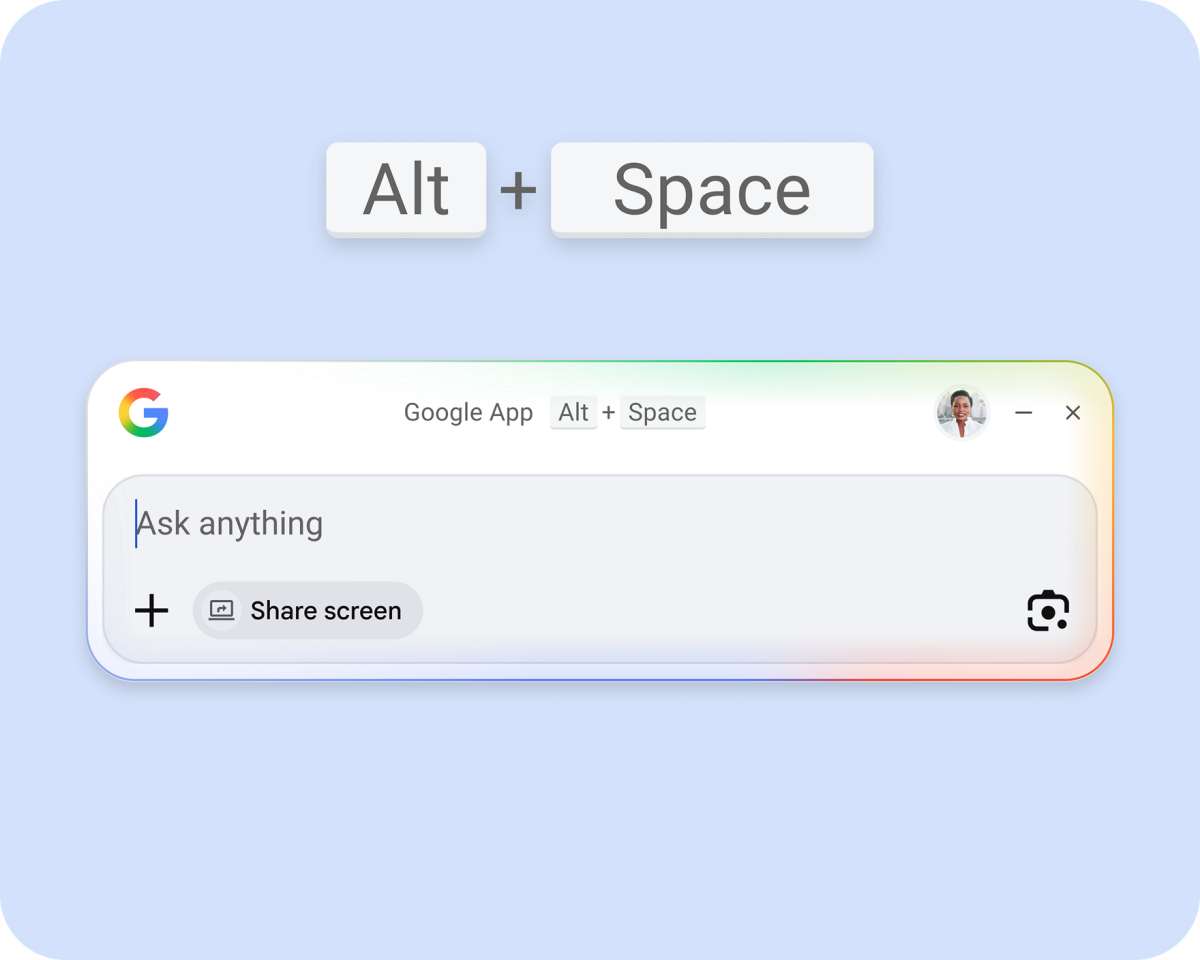 It has Lens and screen sharing built-in, so you can ask the AI about anything that you see on a specific app window or the entire screen. Google’s app for Windows comes with AI Mode which can generate AI-powered responses to your queries, allows you to ask follow-up questions, and more. It can also be used to find apps, files on your computer, or from your Google Drive. The Google app requires a computer running on Windows 10 or later. Could a native Gemini be app come in the future?
Perplexity releases Personal Computer app for Mac
Why must Google have all the fun? Perplexity also released its own native AI app for macOS this week. The app is called, Personal Computer. It is supported on devices that are running macOS 14 Sonoma or later.
Personal Computer is more than your average AI app, it is an AI agent. It can handle complex tasks and works with your files, native apps, websites. Perplexity says that Personal Computer can help read your to-do list, act upon it, manage your files and organize them, analyze data from files against information from web pages, etc. The app supports voice commands too. Perplexity says that users remain in the loop on sensitive actions, and can monitor the AI, and take over if needed. You can trigger Personal Computer by pressing both Command keys on your Mac at the same time.
Unlike Google Gemini, which is free for all users, Perplexity’s Personal Computer for Mac is currently rolling out to users with a Perplexity Max subscription. It’s an expensive plan that costs $200 per month.
Google Chrome AI Mode makes it easier to open links side-by-side
Let’s talk about what happened in the browser market this week. Google Chrome has some new AI powered features, to help users find their tabs quickly. The Mountain View company says that users find it difficult when they search for something, click on a link, switch to a new tab, and when these tabs pile up, they get lost when trying to find a specific tab. To fix this, Google has made a change in AI Mode. When you search in AI Mode, the browser will display the information along with links for results, and clicking on a link will open it in a side-by-side view. It’s also a way to get users to interact with the AI, ask follow-up questions about the contents of the page.
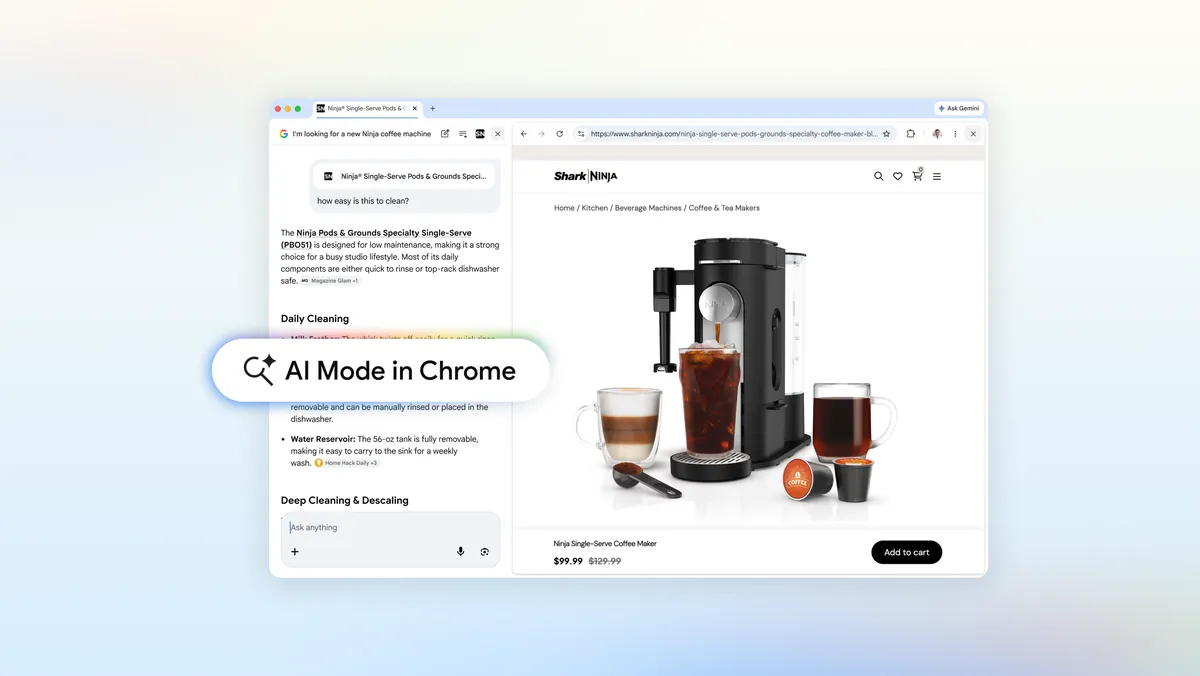
And to find tabs that are open, just click the plus icon in Chrome’s new tab page or AI Mode on desktop or mobile, and select recent tabs. This allows you to search for tabs, images, files, documents, etc. The new plus menu also includes shortcuts for Canvas, image creation. Google says that the improved AI Mode experience is available for users in the US. Chrome 146 comes with Device-Bound Session Credentials (DBSC), a new security system that is designed to combat session hijacking.
Brave is testing Firefox-like containers for isolating websites
Brave Browser is testing a feature that is similar to Firefox’s containers. This is a privacy-focused feature, that isolates websites from one another. It creates a sandbox to store the cookies, data, cached files, and limits access to these. The idea is to prevent websites from tracking the user’s activities on other websites for advertising, building a profile or other nefarious purposes. Brave’s Containers feature is currently available in the Nightly channel of the browser, and users need to enable a flag to access the experimental option.

This is an interesting move, and could attract users who are concerned about their privacy.
Netflix to add vertical videos in its mobile app
Short form videos are everywhere. They started to gain popularity on TikTok, Instagram, Facebook Reels, YouTube Shorts, and have even made their way to Disney Plus. And now Netflix wants to do the same. The streaming service published its quarterly letter to shareholders. In it, Netflix revealed that it will launch a redesigned mobile app at the end of April. This new version will add a vertical video feed to the Netflix app. The company believes that the redesign, and the vertical video discovery feed will better reflect its expanding entertainment offering, and make it easier for users to engage with the content.

It is not completely surprising, as Netflix has been testing portrait videos for nearly a year. Still, short-form videos have their fair share of fans and critics. Many people find them to be “brain-rot” and doomscrolling can be addictive if left unchecked.